

CORE and NLS Instructor Manual eBooks
CORE Certification: A Guide to the CORE Curriculum for Instructors eBook

CORE Certification: A Guide to the CORE Curriculum for Instructors is the teaching resource for CORE Advanced Instructors. It is available online as a free resource through VitalSource.
The VitalSource platform allows you to access the Instructor Manual via your smart phone, tablet, web browser or desktop. You can highlight, make notes, and bookmark pages.
The manual is aligned to the latest ANZCOR Guidelines and is regularly updated when changes to the guidelines occur.
Newborn Life Support Certification: A Guide to the Curriculum for Instructors
Newborn Life Support Certification: A Guide to the Curriculum for Instructors is the teaching resource for NLS Advanced Instructors. It is available online as a free resource through VitalSource.
The VitalSource platform allows you to access the Instructor Manual via your smart phone, tablet, web browser or desktop. You can highlight, make notes, and bookmark pages.
The manual is aligned to the latest ANZCOR Guidelines and is regularly updated when changes to the guidelines occur.
How to access your eBook
Please note you will need to create a free VitalSource account to access the manual.
You can download the VitalSource app on your device here.
Or access VitalSource online here.
Instructors will receive a unique code when attending the CORE or NLS Advanced Instructor Training.
This allows you to access the eBook on up to two devices at a time. You can redeem this code on VitalSource to receive access to your eBook.
If you completed your Instructor Training before June 2026, you would have been sent your code via email.
Steps for accessing your eBook
You can redeem your code on the VitalSource website here. Unfortunately you cannot redeem codes on the VitalSource app.
The following steps assume you are on a computer, however the steps are similar if you are on a phone or tablet.
- Go to https://bookshelf.vitalsource.com/ and log in to your account. You’ll be taken to your Bookshelf home page.
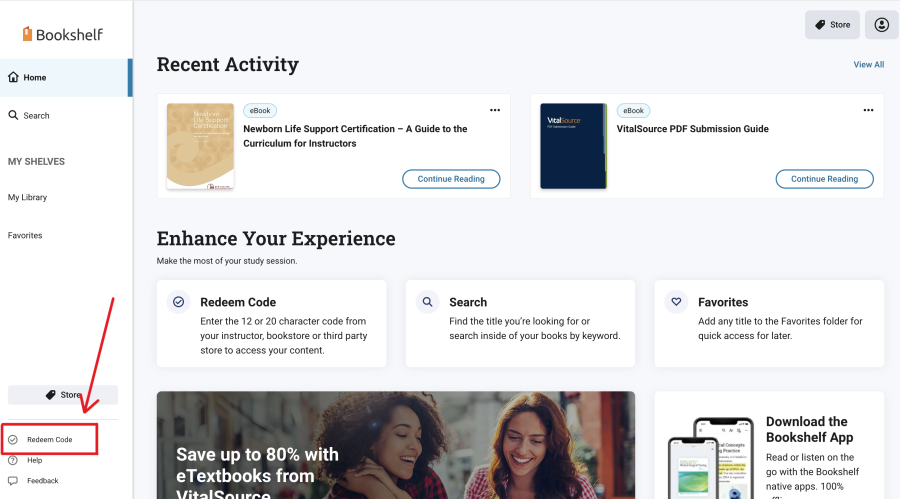
- Click on “Redeem Code” in the bottom left-hand corner of the page
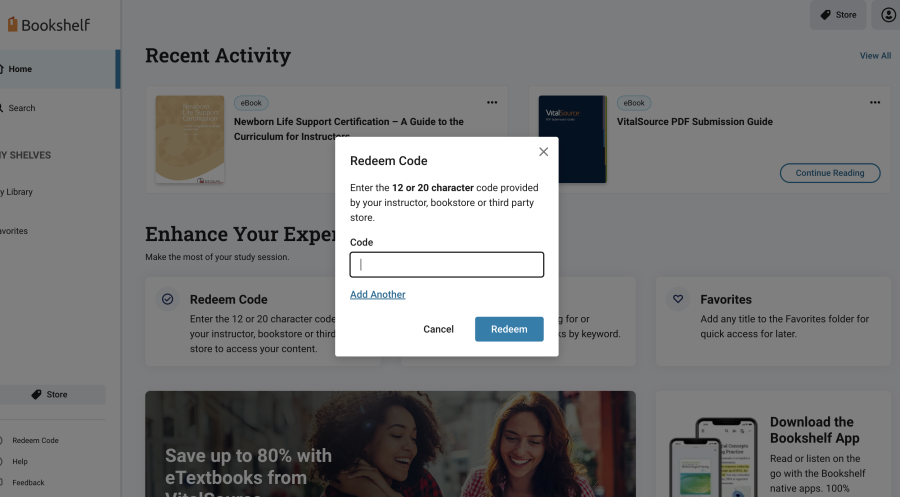
- A box will pop up. Type in your code and click redeem.
This should cause your eBook to appear in your library. However, if it is still not working, you can:
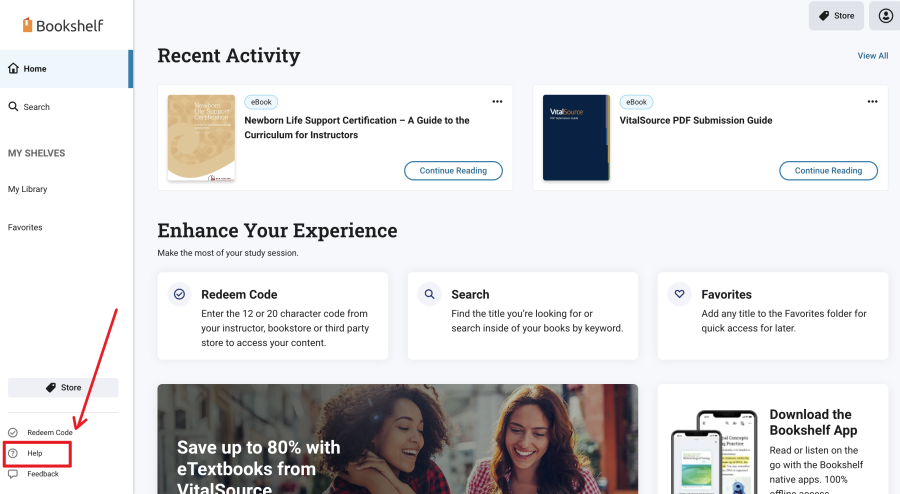
- Click on “Help” in the bottom left-hand corner of the page
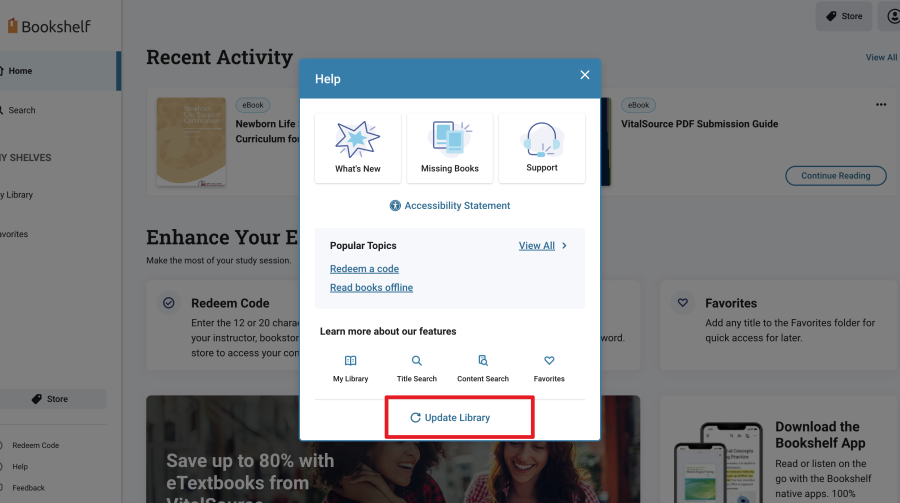
- Another box will pop up. Click on “Update Library”
Once you’ve redeemed your code, the manual will show up on the mobile app too.
Need help accessing your eBook?
If you need assistance in locating your code or accessing your eBook, please get in touch with us at info@resus.org.nz
